

Get Your Trial!

Get Your Trial Now!

Streamline repetitive tasks and paperless processes with Microsoft Power Automate, so you can focus your attention where it’s needed most.
*
*
Email is not valid.
*
*
*
Mobile is not valid.
Please type the keycode below

Power Automate

Microsoft Power Automate
Streamline repetitive tasks and paperless processes with Microsoft Power Automate, so you can focus your attention where it’s needed most.
Modern businesses across Saudi Arabia are always gearing up for a faster and automated environment to tackle most of the manual tasks, such as automating leave policies within an organization, automating supply chain functions, calling multiple data flows to reduce the need to duplicate work and effort, or automating notifications to relevant teams based on real-time data, and so on.
Well, that's exactly where Microsoft Power Automate comes in handy!

What is Microsoft Power Automate?

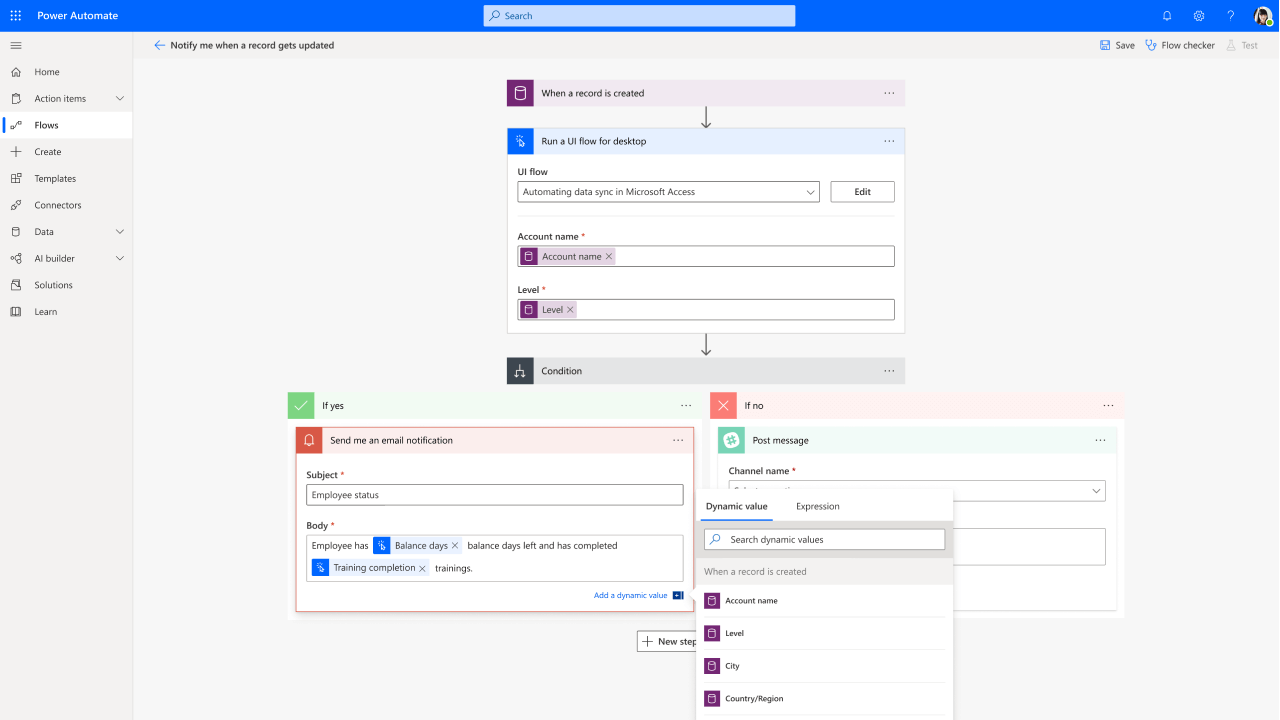
Power Automate, (formerly Microsoft Flow), is a component of the Microsoft Power Platform that gives business users with zero code knowledge the ability to automate workflows within the organization.
Power Automate allows you to automate a series of steps. Think of it as rather than doing the work manually, where you might forget one of the steps. Power Automate can automate that work in a repeatable sequence with the consistency of a robot, and effectively, you're able to connect to multiple systems to the connectors.


To help users build complex, automated process workflows, Power Automate already comes in with a variety of pre-defined templates to choose a workflow and start working with. Users can pick up any of these workflows from the templates or can also start building their own workflow from scratch. All these workflows can be further divided into three main types which are based on the trigger of any workflow as follows:
  • Automated Workflow  - These types of workflows are triggered based on some other action. For example, send a mail when a task is completed
  • Scheduled Workflow -  These workflows are scheduled to execute at specific times of the day, week, or month
  • Button Workflow - These workflows are triggered by the click of the button

Why Power Automate?

Apart from the fact that it empowers everyone to become a workflow pro, there are many reasons why Microsoft Power Automate is ideal for Saudi businesses - no matter the size and industry. With Power Automate, your business can:

Use Robotic Process Automation

Sometimes the apps and services you use don't talk to each other, and the manual work takes too much time to fill in the gaps. The Robotic Process Automation Feature (or RPA) within Power Automate empowers everyone within your organization to seamlessly connect all the apps and services that are not built to collaborate with one another, enabling you to automate any mundane task at any time, with point-and-click simplicity - whether the app is old or new, on-premises or in the cloud.

Automate Repetitive Tasks Across +250 Apps & Systems

Power Automate integrates seamlessly with +400 platforms, such as social media, email and the datasets of powerful business solutions like Dynamics 365, Office 365, SharePoint, Teams and more. With pre-built templates or your own multi-step flows, connect several apps in a matter of clicks using Power Automate.

Work Smarter & Achieve More

Going into multiple systems and manually updating fields is tedious and time-consuming. Power Automate keeps you informed about data across your organization by automating data exchange and synchronization from hundreds of data sources, including Online services, On-premises solutions and third-party services - saving everyone time and allowing them to work smarter and focus on work that matters.

Quickly and securely automate at scale

Build secure workflows with a no-code guided experience and cloud-based data loss prevention, identity, and access management services.

Put intelligent workflows to work

Automate time-consuming manual tasks with built-in AI capabilities, giving you more time to focus on strategic, high-value opportunities.

Enable process automation like never before! Reduce time-consuming tasks and processes across different applications and get customized workflow solutions for your entire company.


What’s New in Microsoft Power Automate 2026?

Microsoft Power Automate 2026 brings smarter automation, stronger governance, and enhanced tools for cloud and desktop flows. The latest release wave emphasizes AI-powered assistance, self-healing automation, process mining, and boosted maker productivity. Here's a deeper dive with real-world examples for Saudi businesses accelerating digital transformation:

1. AI Agent Authoring and Optimization

Power Automate now offers more intelligent ways to create and refine automations with AI support.

  • Key Benefit: AI suggests steps from natural language descriptions, cutting development time by up to 50%.

2. Self-Healing Desktop Flows

New features enable desktop automations to recover automatically from common issues like UI changes.

  • Key Benefit: Reduces downtime by 70%, ideal for hybrid cloud-on-premises environments.

3. Copilot Studio-Powered Actions in Cloud Flows

Makers can now build adaptive workflows with deeper AI integration.

  • Key Benefit: Natural language interactions make flows more dynamic and team-friendly.

4. Enhanced Maker and Collaboration Tools

Improvements streamline flow building and team collaboration, including real-time sharing and drag-and-drop enhancements.

  • Key Benefit: Speeds up IT-marketing teamwork with full Power Platform support.

5. Object-Centric Process Mining – Now Generally Available

Provides end-to-end visibility into business processes by analyzing objects like invoices or orders.

  • Key Benefit: Uncovers bottlenecks and optimizes efficiency for regulatory compliance.

6. Consolidated Governance Reporting

Admins gain improved reporting for control, visibility, and licensing management.

  • Key Benefit: Easy tracking of usage and compliance with PDPL and Saudi security standards.

These updates position Power Automate as a core tool for Saudi enterprises adopting AI and cloud, with seamless Azure and Microsoft 365 integration. 

Ready to Gain a Competitive Advantage with Power Automate?

Ctelecoms can help you enable process automation like never before by creating customized workflow solutions for your entire company, using Power Automate. To get yourself started, contact us today.